Xfinity is the consumer connectivity and entertainment brand of Comcast Corporation. Xfinity provides residential internet and WiFi, television and streaming services, mobile phone service, home phone service, home security, equipment, and related digital products throughout much of the United States.
Consumers commonly search for the Xfinity corporate office address or phone number when they need assistance with a billing increase, disputed charge, service outage, mobile activation, disconnected phone, equipment fee, cancellation, unexpected agreement, internet data usage, refund, technician visit, account access, or another unresolved customer-service concern.
How to Contact Xfinity Corporate Office
Xfinity is a brand rather than a separate publicly traded company. Corporate governance and ownership are handled through Comcast Corporation, while ordinary account and technical questions are handled through Xfinity customer-support channels.
- Brand Name: Xfinity
- Parent Company: Comcast Corporation
- Comcast and Xfinity Headquarters: One Comcast Center, 1701 John F. Kennedy Boulevard, Philadelphia, PA 19103
- Xfinity Customer Service: 1-800-934-6489 (1-800-XFINITY)
- Xfinity Mobile Customer Service: Call or text 1-888-936-4968
- Accessibility Support Center: 1-855-270-0379
- Accessibility Email: ac***********@*****st.com
- Xfinity Customer Support: Xfinity Support Center
- Contact Xfinity: Phone, Chat and Callback Options
- Xfinity Assistant: Chat With Xfinity Assistant
- Text Support: Text a question to 266278
- Customer Feedback Form: Submit Xfinity Feedback
- Formal Notice of Dispute: Submit a Comcast Notice of Dispute
- Official Website: Xfinity.com
- Xfinity Store Locator: Find an Xfinity Store
- Service Status and Outages: Check an Xfinity Outage
- Equipment Returns: Return Xfinity Equipment
- Xfinity Careers: Comcast and Xfinity Careers
- Investor Relations: Comcast Investor Relations
- Parent Company Stock Symbol: Nasdaq: CMCSA
Xfinity does not prominently publish a separate corporate customer-service email address. Customers are generally directed to telephone support, Xfinity Assistant, the Xfinity app, online chat, social support, or a retail store.
The corporate headquarters address is appropriate for formal written correspondence, but it is not generally the fastest way to resolve an outage, billing concern, mobile activation, equipment return, or routine service problem.
Xfinity Support Availability
Xfinity Assistant provides online automated support 24 hours a day. Customers can use it to troubleshoot service, review billing information, check outages, schedule callbacks, and reach additional support options.
Telephone, specialized department, retail-store, and live-agent hours may vary. Customers should use the official contact page or Xfinity app to see the support options currently available for their account.
How to Escalate an Xfinity Complaint
The best escalation process depends on whether the concern involves billing, internet service, television, Xfinity Mobile, a technician visit, equipment, a contract, an outage, or a canceled account.
- Begin with Xfinity customer service at 1-800-XFINITY, Xfinity Assistant, or the Xfinity app.
- Keep the account number, billing statement, order confirmation, service address, equipment serial number, technician appointment, screenshots, and prior case numbers.
- Explain what occurred and clearly state the resolution being requested.
- Ask the representative to document the concern and provide a ticket, case, or reference number.
- If the first representative cannot resolve the issue, request a supervisor or the department responsible for billing, retention, mobile service, equipment, or technical support.
- Submit the Xfinity customer-feedback form if repeated calls or chats do not resolve the matter.
- Keep a timeline showing the dates, representative names, departments, promised credits, and promised follow-up.
- If Comcast specialists remain unable to resolve the dispute, review the formal Notice of Dispute process.
Written correspondence can be mailed to:
Comcast Corporation
One Comcast Center
1701 John F. Kennedy Boulevard
Philadelphia, PA 19103
Do not publish complete account numbers, Social Security numbers, payment-card information, passwords, verification codes, mobile-porting PINs, home addresses, or other sensitive information in a public review.
Comcast Notice of Dispute Process
Comcast provides a formal Notice of Dispute process for customers who have first attempted to resolve a concern through ordinary support channels.
Comcast states that its Legal Department will contact the customer in an effort to resolve the dispute within 60 days after receiving a completed Notice of Dispute.
The notice can be submitted online or sent with supporting documentation to:
Comcast
Attention: Legal Department/Arbitration
1701 John F. Kennedy Boulevard
Philadelphia, PA 19103-2838
Comcast also publishes Ar*************@*****st.com for completed Notice of Dispute submissions.
Consumers should review the current Comcast customer agreement before submitting a notice because the agreement may contain requirements involving arbitration, deadlines, documentation, and informal dispute resolution.
Xfinity Reviews, Complaints and Customer Feedback
Recent reviews submitted to CorporateOfficeHeadquarters.com describe concerns involving billing, mobile activation, equipment charges, plan changes, data usage, and difficulty obtaining a final resolution.
Current complaint themes include:
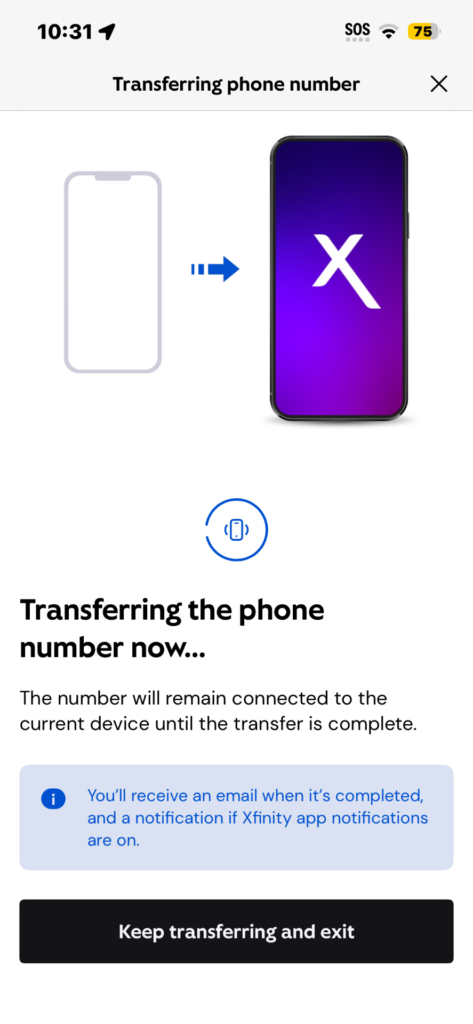
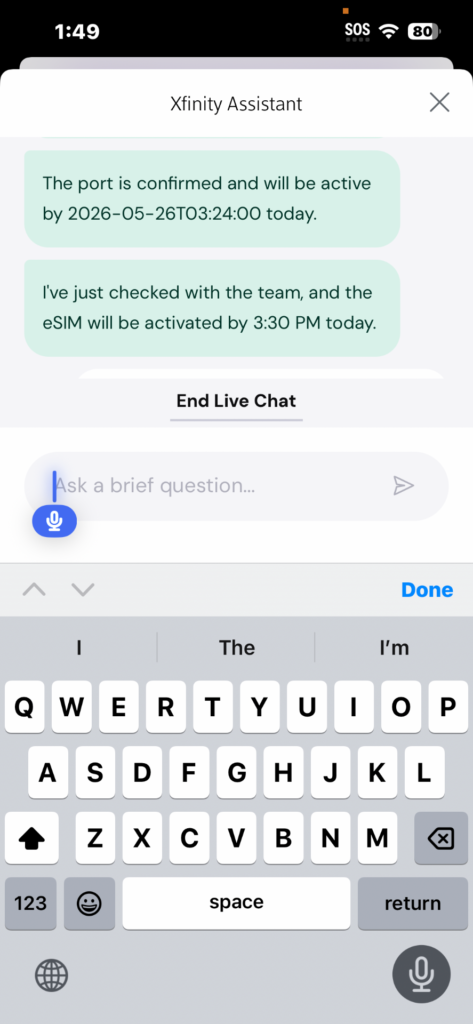
- Disconnected mobile service: A customer reported that a mobile line remained disconnected for multiple days after transferring service to Xfinity Mobile.
- Unexpected agreement terms: One longtime customer said a representative upgraded the internet plan and supplied a new router without clearly disclosing a 24-month agreement.
- Data-usage concerns: The same customer questioned a notice stating that the account had reached 75% of its monthly data allowance.
- Technician charges: A reviewer reported a $100 technician fee that the customer said was not disclosed or authorized before the service visit.
- Conflicting billing explanations: The customer said one representative required waiting for the charge to post, while a later representative said it was too late to reverse it.
- Charges for unreceived equipment: One reviewer reported being billed for a device that allegedly never arrived and described repeated promises that the charge would be removed.
- Difficulty reaching supervisors: Customers have described long waits, transfers, overseas call centers, and difficulty finding someone with authority to resolve a complaint.
- Calls for regulatory complaints: Some reviewers have encouraged other customers to report unresolved telecommunications concerns to government regulators.
These reviews represent individual customer accounts and do not establish the experience of every Xfinity customer.
Telecommunications disputes can depend on the service address, local system, account agreement, equipment, promotion, technician report, payment history, and state or federal requirements.
As additional reviews are submitted, this section can be updated to identify broader trends involving outages, billing, mobile service, equipment, cancellation, refunds, technician visits, and customer-support escalation.
How to Dispute an Xfinity Charge
Xfinity currently states that customers must generally dispute a charge within 120 days of the date it first appears on the bill.
Disputed charges may involve:
- A technician or installation fee that was not disclosed
- Equipment that was returned or never received
- A duplicate payment
- An unexpected plan change
- A promotional discount that was removed
- A modem, gateway, television box, or mobile-device charge
- An early termination fee
- A pay-per-view or On Demand purchase
- A service that was canceled but remained on the bill
- An unauthorized account change
- A data-usage or overage charge
When disputing a bill:
- Download or save the complete billing statement.
- Identify the exact charge, date, amount, and description.
- Keep any sales confirmation, chat transcript, email, or recording reference connected to the transaction.
- Contact Xfinity and ask that a formal billing dispute be opened.
- Request the case number and expected review date.
- Ask whether the disputed portion must be paid while the matter is reviewed.
- Request written confirmation of any adjustment or promised credit.
A credit shown as pending should not be considered complete until it appears on the account or final statement.
Unexpected Xfinity Technician Charges
Customers sometimes report technician charges that they say were not disclosed before the visit.
A service visit may result in a charge if the technician concludes that the problem involves:
- Customer-owned equipment
- Inside wiring not covered by the service plan
- Damage caused inside the home
- An installation or relocation request
- A problem outside Xfinity’s network responsibility
- A missed appointment or other charge permitted by the agreement
Before agreeing to a technician visit, ask:
- Whether there is a possible service charge
- What conditions would trigger the charge
- Whether the visit is covered by a service plan
- Whether the representative will document the quoted terms
- Whether the technician must obtain approval before billing
If a technician fee appears unexpectedly, ask Xfinity to review the original support call, service order, technician notes, and whether consent to the charge was documented.
Xfinity Contracts, Agreements and Pricing
Comcast introduced national Xfinity Internet packages in 2025 that include unlimited data and an Xfinity WiFi Gateway, with one-year or five-year price-guarantee options and no annual contract.
However, existing and legacy customers may still have older agreements, bundled services, promotional discounts, equipment charges, or other terms that differ from the newer national packages.
Customers can review current legal agreements and contracts through their online Xfinity account.
Before approving a plan change, ask for written confirmation showing:
- The monthly base price
- The length of any price guarantee
- Whether a contract or minimum term applies
- Equipment charges
- Taxes and government fees
- Broadcast television and regional sports fees
- Mobile-line requirements
- Autopay and paperless-billing discounts
- The price after a promotion ends
- Any cancellation or early termination fee
Save the order summary, chat transcript, email confirmation, and screenshots before accepting a new plan.
Xfinity Data Usage Complaints
Newer Xfinity Internet packages include unlimited data, but some customers may remain on older plans that use a 1.2-terabyte monthly data allowance or a separately purchased unlimited-data option.
Customers can review data usage through Xfinity.com or the Xfinity app.
If the reported usage appears unusually high:
- Review connected devices in the Xfinity app.
- Change the WiFi password if an unknown device appears.
- Check gaming systems, security cameras, cloud backups, streaming devices, and computers.
- Review whether operating systems or applications downloaded large updates.
- Compare the current month with prior usage history.
- Contact Xfinity and request an explanation of the account’s data plan.
Customers changing plans should ask whether the new package includes unlimited data and whether the account will retain or lose any existing discount.
How to Cancel Xfinity Service
Customers can begin the cancellation process through Xfinity support, the official cancellation options, or an Xfinity retail store.
Before canceling:
- Review the current agreement and final billing date.
- Ask whether any minimum-term or early termination fee applies.
- Confirm which services are being canceled.
- Determine whether canceling internet affects Xfinity Mobile pricing.
- Save the cancellation confirmation and effective date.
- Return all leased equipment.
- Keep the equipment-return receipt indefinitely.
- Review the final statement for additional charges or credits.
Canceling Xfinity Internet may affect Xfinity Mobile pricing. Depending on the mobile plan and account, a standalone mobile fee may be added after qualifying residential services are canceled.
Customers moving to a new home may be able to transfer service rather than close the account.
Returning Xfinity Equipment
Xfinity provides several ways to return leased equipment:
- Bring it to an Xfinity retail store.
- Use a prepaid return label.
- Drop eligible equipment at a UPS Store or other participating UPS location.
Return all applicable items, including:
- Modems and gateways
- Television boxes
- Streaming boxes
- Remotes when required
- Power cords and adapters
- WiFi extenders or pods when applicable
- Home-security equipment when required by the agreement
Customers should photograph the equipment and serial numbers before returning it. Obtain a receipt showing the tracking number or returned devices and keep it until the account has been closed and the final bill is correct.
If a returned-equipment charge later appears, provide the tracking confirmation, store receipt, device serial number, and return date.
Xfinity Outages and Service Problems
Customers can check for known outages through the Xfinity app or the online outage information page.
Xfinity also allows customers to text OUT to 266278 for outage information associated with the mobile number registered to the account.
During an outage:
- Check whether Xfinity has identified a network interruption.
- Save screenshots showing the outage status and estimated restoration time.
- Avoid repeatedly restarting equipment if Xfinity confirms a network outage.
- Record when service stopped and returned.
- Contact Xfinity after restoration if a billing credit may be available.
Xfinity may provide automated credits for certain qualifying interruptions through Xfinity Assistant. Eligibility depends on the outage, account, location, duration, and current credit policy.
Power failures, damaged customer wiring, defective personal equipment, severe weather, or an interruption affecting only one home may be treated differently from a recognized Xfinity network outage.
Xfinity Mobile Support
Xfinity Mobile customers can call or text 1-888-936-4968 for assistance with:
- Activation
- Number transfers
- Billing
- Data plans
- Device payments
- Trade-ins
- Lost or stolen phones
- International service
- Account access
- Returns and exchanges
- Disconnected or suspended service
When transferring a telephone number, keep the prior carrier’s account number, transfer PIN, billing name, billing ZIP code, and device information. Incorrect porting information can delay activation or leave a number temporarily unavailable.
Do not cancel the prior mobile account before confirming the number-transfer requirements with the new provider.
If a transferred number becomes disconnected, contact Xfinity Mobile promptly and ask whether the issue involves the port, device activation, account verification, payment, SIM or eSIM, or the prior carrier.
Xfinity Mobile Returns and Money-Back Period
Xfinity currently provides a 14-day return or exchange period for eligible Xfinity Mobile devices, beginning from the date the device is delivered or purchased in a store.
Accessories generally have a 30-day return period, subject to the current return policy.
Returned devices may need to be:
- In like-new condition
- Free of physical or liquid damage
- Reset and disconnected from personal accounts
- Returned with the original components
- Submitted within the required period
Restocking fees or other conditions may apply. Customers should review the current policy before shipping or returning a device.
Xfinity Money-Back Guarantee
Xfinity currently advertises a 30-day money-back guarantee for eligible Xfinity Internet, TV, Voice, and home-security services.
Xfinity Mobile service and devices generally have a 14-day guarantee or return period.
The guarantee does not necessarily eliminate all installation, usage, pay-per-view, device, shipping, or third-party charges. Customers should review the current guarantee and request written confirmation when canceling within the eligibility period.
Xfinity Accessibility Support
The Xfinity Accessibility Support Center assists customers with disabilities and accessibility-related questions.
- Accessibility Phone: 1-855-270-0379
- Accessibility Email: ac***********@*****st.com
Support may involve:
- Voice Guidance
- Closed captioning
- Audio description
- Accessible billing materials
- Large-button remotes
- American Sign Language support
- Assistive technology
- Accessibility concerns involving Xfinity Mobile
Customers using American Sign Language may also access video-based support through Xfinity’s accessibility services.
Xfinity Scams and Fraudulent Support Calls
Scammers frequently impersonate Xfinity or Comcast through telephone calls, text messages, search advertisements, emails, and fake support websites.
Common scam claims may include:
- A special discount requiring advance payment
- A request to pay with a gift card
- A threat that service will be disconnected immediately
- A claim that the modem has been compromised
- A refund that requires remote access to a computer
- A request for an account password or security code
- A fake technician or equipment-upgrade fee
Customers should independently call 1-800-XFINITY or open the Xfinity app rather than calling a number from an unexpected message.
Xfinity representatives should not need a customer to purchase retail gift cards to pay a bill, receive a promotion, stop disconnection, or obtain a refund.
About Xfinity and Comcast
Comcast began in 1963 as a cable operation in Tupelo, Mississippi. The company later moved its headquarters to Philadelphia and expanded into internet, television, telephone, mobile service, media, entertainment, advertising, and theme parks.
Comcast introduced the Xfinity brand in 2010 for its residential connectivity and technology products. Xfinity is not a separately traded company and does not have its own stock symbol. Comcast Corporation is the parent company and trades on Nasdaq under the symbol CMCSA.
- Comcast Founded: 1963
- Xfinity Brand Introduced: 2010
- Headquarters: Philadelphia, Pennsylvania
- Parent Company: Comcast Corporation
- Business Type: Publicly traded media and technology company
- Stock Symbol: Nasdaq: CMCSA
Xfinity products and services may include:
- Residential internet and whole-home WiFi
- Xfinity WiFi Gateway equipment and WiFi extenders
- Xfinity Mobile and NOW Mobile
- Xfinity TV, X1, Xfinity Stream, NOW TV, and streaming bundles
- Xfinity Voice home phone
- Xfinity Home security
- Storm-Ready WiFi and public Xfinity WiFi hotspots
- Internet Essentials
Availability, prices, speeds, equipment, channel lineups, mobile eligibility, data terms, and service agreements vary by address and market.
Xfinity’s Competitive Landscape
Xfinity competes in residential internet, mobile phone service, television, streaming, home phone, home security, and business connectivity.
Three of Xfinity’s largest competitors include:
- Spectrum Corporate Office – Spectrum competes through cable internet, television, mobile phone service, home phone, business connectivity, and nationwide WiFi services.
- AT&T Corporate Office – AT&T competes through fiber internet, wireless service, business connectivity, and home-phone products.
- Verizon Corporate Office – Verizon competes through Fios fiber internet, wireless service, 5G home internet, television partnerships, and business services.
Xfinity also competes with cable, fiber, wireless, and satellite providers, including:
- T-Mobile Corporate Office – T-Mobile competes through wireless service and 5G home internet.
- Cox Communications Corporate Office – Cox competes through cable internet, television, phone, home security, and business products in selected markets.
Other competitors include Frontier, Optimum, Google Fiber, CenturyLink, Quantum Fiber, Brightspeed, Starlink, DirecTV, Dish Network, and local fiber providers.
Related Telecommunications Corporate Office Pages
- Comcast Corporate Office
- Spectrum Corporate Office
- AT&T Corporate Office
- Verizon Corporate Office
- T-Mobile Corporate Office
- Cox Communications Corporate Office
- DirecTV Corporate Office
Additional Xfinity Customer Resources
- Xfinity Customer Service Numbers, Reviews and Complaints
- Contact Xfinity by Phone, Chat or Callback
- Chat With Xfinity Assistant
- Submit Xfinity Customer Feedback
- Dispute an Xfinity Bill
- Review Xfinity Cancellation Information
- Return Xfinity Equipment
- Check for an Xfinity Outage
- Xfinity Accessibility Support
- Submit a Comcast Notice of Dispute
Frequently Asked Questions About Xfinity
Where is the Xfinity corporate office?
Xfinity operates under Comcast Corporation, headquartered at One Comcast Center, 1701 John F. Kennedy Boulevard, Philadelphia, PA 19103.
What is Xfinity’s customer-service phone number?
Xfinity residential customer service can be reached at 1-800-934-6489, also written as 1-800-XFINITY.
What is the Xfinity Mobile phone number?
Xfinity Mobile customers can call or text 1-888-936-4968.
How do I escalate an unresolved Xfinity complaint?
Request a supervisor, retain all case numbers, submit the Xfinity customer-feedback form, and consider Comcast’s formal Notice of Dispute process after ordinary support options have been exhausted.
How long do I have to dispute an Xfinity charge?
Xfinity currently states that a charge generally must be disputed within 120 days after it appears on the bill.
How do I cancel Xfinity service?
Contact Xfinity customer service, use the official cancellation options, or visit an Xfinity store. Obtain written confirmation and return all leased equipment.
How do I prove that I returned Xfinity equipment?
Keep the UPS tracking receipt or Xfinity-store return receipt showing the returned equipment. Photograph the equipment and serial numbers before returning it.
How do I check an Xfinity outage?
Use the Xfinity app or official outage-information page. Customers can also text OUT to 266278 from a mobile number connected to the account.
How do I contact Xfinity accessibility support?
Call 1-855-270-0379 or email ac***********@*****st.com.
Is Xfinity the same as Comcast?
Xfinity is Comcast’s consumer brand for internet, television, mobile, voice, WiFi, and home-security products. Comcast Corporation is the parent company.
Why Trust CorporateOfficeHeadquarters.com?
CorporateOfficeHeadquarters.com has helped consumers locate corporate addresses, headquarters phone numbers, executive information, customer-service contacts, and company details since 2004.
The website also provides a place where consumers can share reviews, complaints, photographs, compliments, and the outcomes of their customer-service experiences. These submissions can help identify recurring concerns involving billing, outages, equipment, mobile service, contracts, technician visits, and complaint escalation.
Corporate addresses, phone numbers, executives, prices, service plans, and support procedures can change. Visitors should verify important information through Xfinity or Comcast before mailing documents, returning equipment, transferring a mobile number, or providing personal information.
Disclaimer
CorporateOfficeHeadquarters.com is an independent consumer information website and is not affiliated with, endorsed by, or sponsored by Xfinity, Comcast Corporation, Comcast Cable Communications, Xfinity Mobile, or any Xfinity retail location.
Xfinity, Comcast, Xfinity Mobile, Xfinity Assistant, X1, xFi, NOW, and related names and logos are trademarks of their respective owners. Corporate and support information is believed to be accurate at the time of publication but may change without notice.
Reviews and comments represent the opinions and experiences of individual visitors and do not necessarily reflect the views of CorporateOfficeHeadquarters.com. Allegations contained in customer reviews have not necessarily been independently verified.
Share Your Xfinity Experience
Have you contacted Xfinity customer service, disputed a charge, experienced an outage, returned equipment, transferred mobile service, canceled an account, or attempted to escalate a complaint? Share your experience below.
When leaving a review, consider mentioning the service involved, approximate date, support channel used, case number without publishing the complete number, whether Xfinity responded, and whether the concern was resolved.
Do not include account numbers, passwords, verification codes, payment-card information, porting PINs, complete equipment serial numbers, home addresses, or other sensitive personal information.